The Reality of Preparing Council Papers Today
If you're preparing council agendas and minutes in Microsoft Word, you know the reality. It's not just writing the papers — it's the endless fiddling that comes after. Numbering that drifts the moment you add or remove an item. Manually stripping out confidential content before anything goes public, with the nagging worry that something will slip through. Creating separate PDFs for the full combination of public, confidential, short, and long versions. And that's before the compliance questions: have you given proper notice? Is the structure right? Did you meet the Transparency Code timescales?
The work is important—and you do it carefully. But the manual processes can consume hours every meeting cycle, and the compliance anxiety never fully goes away.
CouncilPapers - Built Around the Way You Work
Instead of wrestling with Word, you work through a clear online interface that follows your council's cycle — from initial set-up, through preparing and publishing each agenda, to recording minutes after the meeting, and on to everything you need between meetings. CouncilPapers handles the complexity so you don't have to. Here's how it follows your workflow.
Set Up Your Council
You do this once. CouncilPapers then reuses your set-up across every agenda, every meeting, every cycle — so you never re-enter the same information twice.
Configure once, reuse everywhere
Begin by setting up your council's structure — its details, councillors, venues and committees. Schedule your meetings for the year, and that information then flows through everything that follows. Change something in one place and it's reflected everywhere: add or remove a councillor from a committee, and your website and every forthcoming meeting update with it.
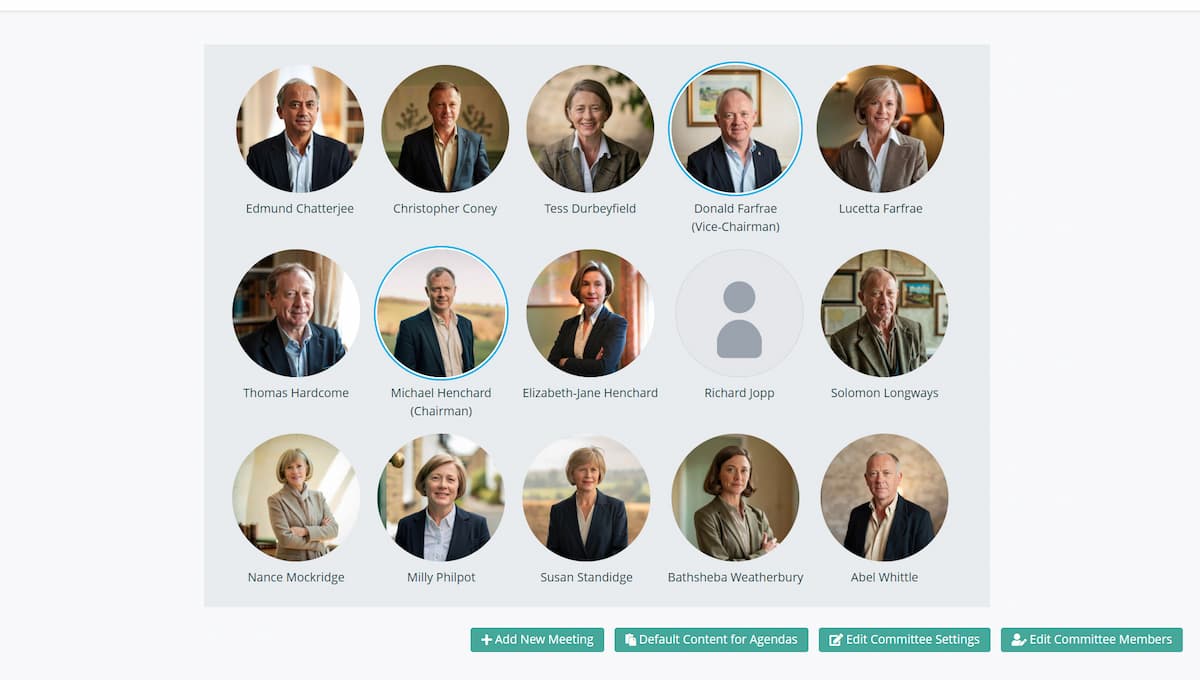
Your one-time set-up, in order:
- Your council's information — name, address, contact details and publication preferences.
- Your councillors — added once, then assigned to the committees they sit on.
- Your venues — recorded once and selected when you schedule a meeting.
- Your committees — each with its membership and a set of default agenda items, ready to drop into every new agenda.
- Your meeting schedule — set out the year's meetings so they are immediately publicly listed, and ready to build when their turn comes.
Preparing for the Meeting
Build the agenda from your committee's template, add the items specific to this meeting, then commit before your deadline — and publishing happens automatically.
Create the Agenda from Your Committee Template
Each committee has its own template carrying the usual standing items and standard text. When a meeting comes round, create a new agenda from the template in a couple of clicks — or clone a previous meeting if that's closer to what you need. Your recurring content is ready; you just add what's new.
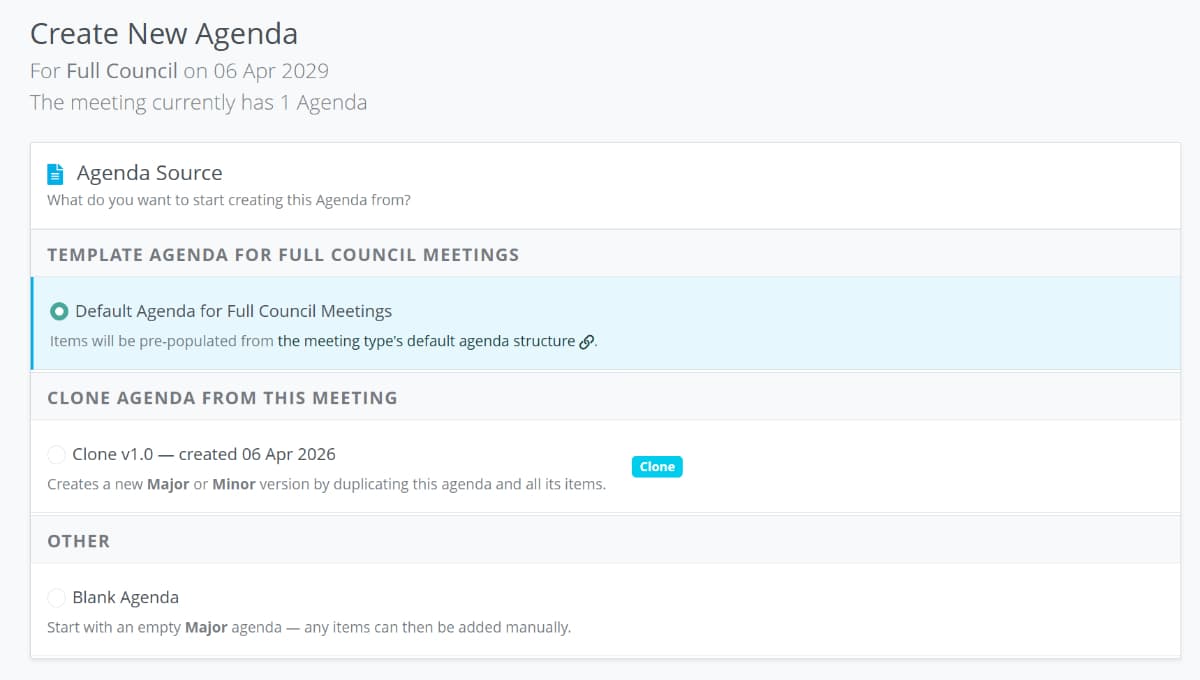
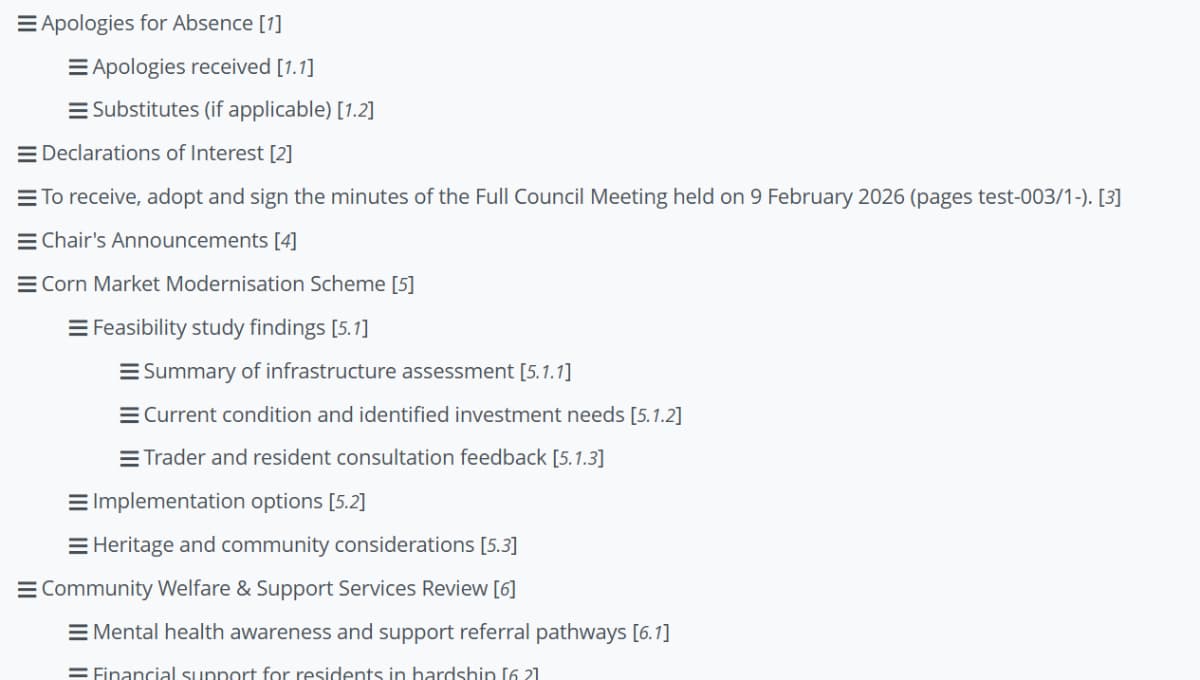
Build the Item List — Numbering Handled Automatically
Add your agenda items and CouncilPapers manages all numbering across every level, keeping items sequential no matter how many times you add, remove, or reorder them. No coaxing Word to behave — you simply drag-and-drop your headings into the order and hierarchy you need.
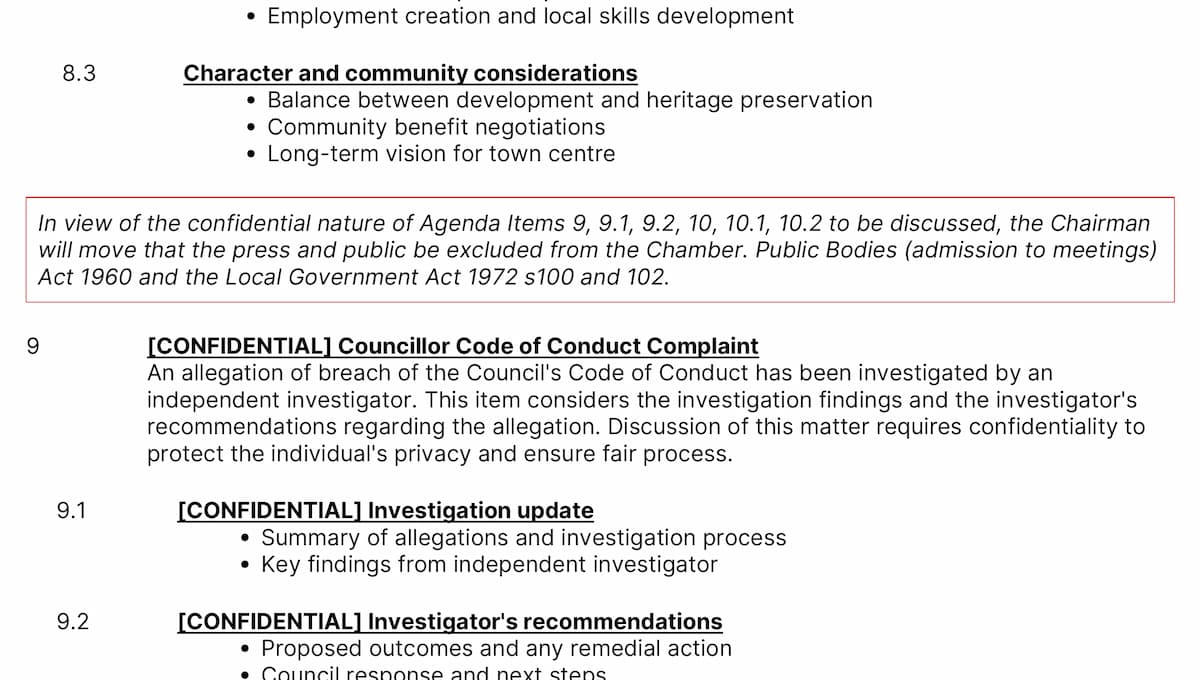
Mark Confidential Items as You Go
Identify which items and annexes are confidential as you enter them — a simple tickbox, nothing more. CouncilPapers keeps track, so when you publish it handles the separation automatically, creating entirely separate confidential papers. No manual editing. No copy-and-paste. No risk.
As you build the agenda, you can also:
- Flag items as provisional — mark an item as still to be confirmed, then receive a warning before publishing.
- Attach supporting documents (annexes) — drag-and-drop PDFs onto an item in your Agenda. They're appended automatically to the end of the papers with hyperlinks each way, and confidential annexes are excluded from the public versions.
- Import planning applications — if you consider planning at meetings, pull application details straight from IDOX-based systems with a browser bookmarklet, with no re-keying of references, addresses or descriptions. (Northgate support is planned.)
- Tag items into collections — tags apply across all meetings and committees, so you can link related items over time and track a topic as it develops.
Commit Before the Deadline — Publishing Is Automatic
Commit your agenda ahead of the advised deadline (and CouncilPapers will remind you when a deadline is coming - even accounting for Bank Holidays). Then CouncilPapers takes it from there.
One action generates every PDF you need and distributes them automatically. Where the meeting includes confidential items, the statutory wording to exclude the public is inserted at the right
point — accurately and consistently, every time. Your papers publish to your public council page at the same moment, and if you use WordPress, the dedicated plugin publishes
directly to your own website too. Councillors can be sent an email automatically, and can read their papers in the Councillor App (see Between Meetings, below).
What gets generated:
- Public Agendas:
- Public Full agenda (with annexes, excluding confidential items)
- Public Short agenda (no annexes, excluding confidential items)
- Confidential Agendas (where the agenda includes confidential items):
- Confidential Full agenda (with annexes, including confidential items)
- Confidential Short agenda (no annexes, including confidential items)
All with working hyperlinks built in — navigate from the contents page to items, from an item to its annexes, and back again.
Completing the Meeting
After the meeting, record attendance and write the minutes in the same interface you used for the agenda — there's nothing new to learn.
Minutes: Same Interface, Same Simplicity
Each agenda item already exists — you simply add the minute text alongside it. Attendance is recorded at the same time. When the minutes are ready, commit them in a single action, and CouncilPapers makes it straightforward to carry them forward to the next relevant agenda. No copy-and-paste. No tracking down which minutes still need adopting.
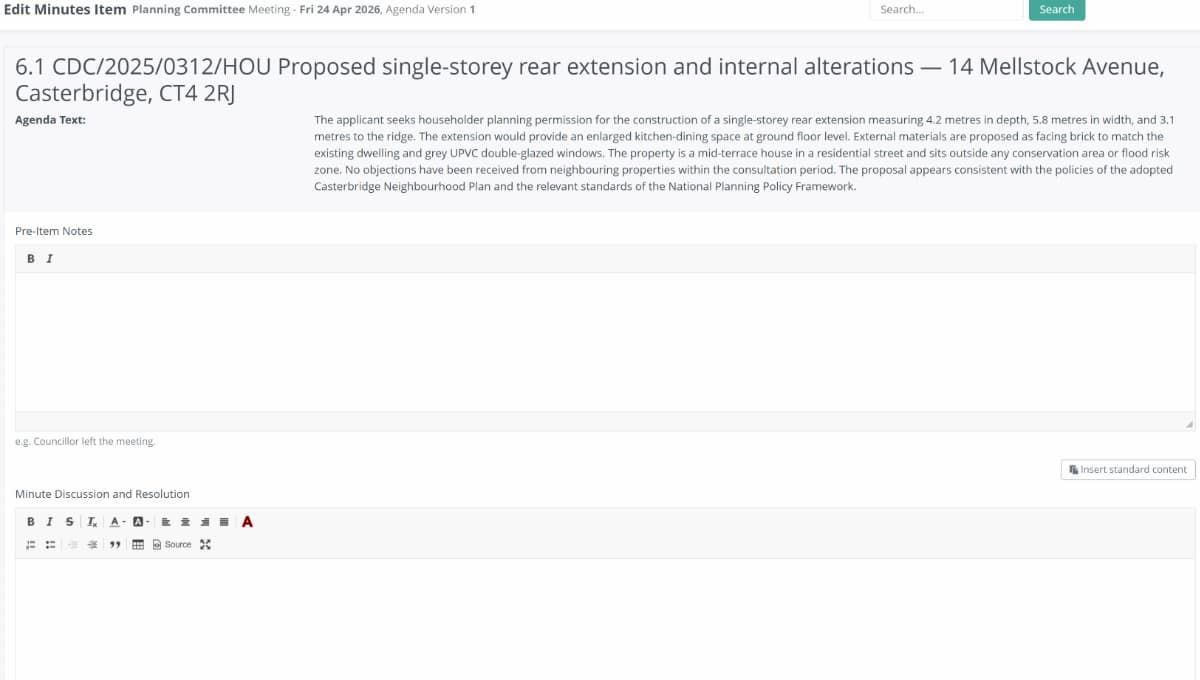
The completion sequence:
- Record attendance — your expected councillors are presented for the meeting; mark each as present, excused, or absent without apology.
- Enter the minutes — add the minute text against each item, exactly where the agenda content sits.
- Commit the minutes — they become available immediately with a clear draft watermark, and appear automatically in the list for approval and adoption at the next scheduled meeting, with the correct wording and a link back to the original meeting.
Between Meetings
Outside the meeting cycle, everything you've published stays organised, searchable and secure — for you, your councillors, and the public.
The Councillor App: Secure Access, Anytime
Councillors reach all of their council's information through the secure, authenticated Councillor App — no email attachments to be forwarded, leaked, or left on a train, and no printing or binding costs. Papers adapt to the screen, from mobile on a commute to desktop at work, with a table of contents and linked annexes for instant navigation. You decide how each councillor receives papers — a PDF attachment by email, or a link to the app — set per person or as a council default.
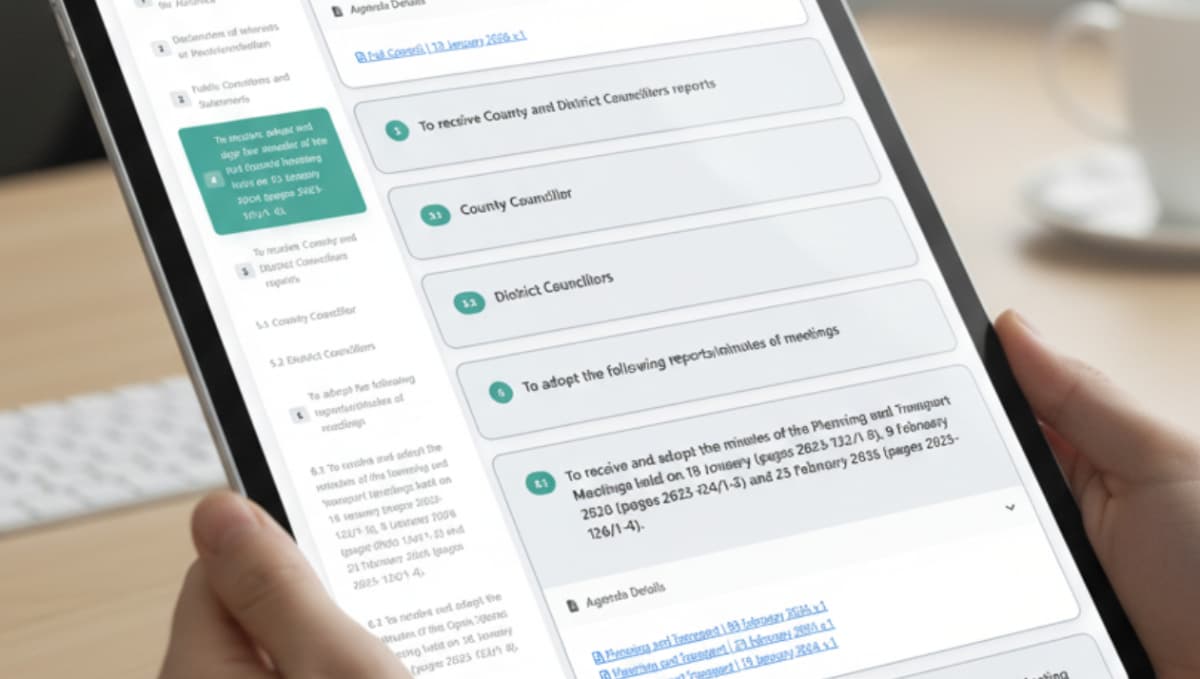
Search Everything
Every agenda and minute item is independently searchable, or filter by tag to pull together related items across meetings and committees. When someone asks "what did we decide about the pavilion?", the answer is in one place — no hunting through email folders or shared drives.
Review Attendance
Staff can review attendance at all meetings, or that of a single councillor, over any period. Attendance is tracked automatically across every meeting and committee, so year-end summaries are straightforward, with no separate spreadsheets and no manual tally.
Version Control & Transparency
If papers need amending after publication — to add late information, correct an error, or remove an item — only one version is ever live, so everyone always sees the current papers. The date and version number are clearly marked, earlier versions are retained for audit, and a minor version keeps headings locked to explicitly preserve the record.
Compliance & Public Access
An accessible copy of all your papers is published to your public council-subsite, giving residents a clear, professional record of what was decided and why — and giving you a transparent, compliant public archive without any extra effort.
What This Means For You
When the manual friction disappears across your entire workflow, everything changes.
Hours Back Each Month
No wrestling with Word formatting. No manual version management. No website uploads and email attachments. No anxiety about whether you've got the confidentiality right.
Compliance Confidence
You know your papers meet the Local Government Act 1972 and Transparency Code 2015 requirements. Numbering is always correct. Confidentiality is handled automatically. Version control is transparent. You can focus on governance, not on worrying whether you've got the process right.
Councillors Staying Informed
Consistent, professional papers every time. Councillors receive them in a predictable format, know exactly where to find what they need, and can search the full archive. Better-prepared councillors mean better meetings.
A Clear Public Record
Your council's decisions and supporting documents are published professionally and archived. The public can see what you decided and why. This is governance done right—and people notice.
Your council's data is stored in the UK. Personal data is held on AWS servers in London (eu-west-2). We've designed CouncilPapers with public sector data handling requirements in mind, and we take security and availability seriously. The sub-processors we rely on are set out in our Data Processing Agreement.
Getting Started Is Simple
There's no lengthy procurement process or technical installation. CouncilPapers is a fully hosted service—everything works in your web browser.
We offer a free trial so you can see the service working with your own council's details before committing. Work through a meeting cycle, create your papers, publish them. See how much time you reclaim.
Find out more from our Help and Documentation section.
Built by a councillor, for council clerks
Save hours of paperwork per meeting
Write agendas and minutes once and publish them straight to your council's website. Councillors get them in the Councillor App. No re-typing, no uploading files one by one. See the features
Records you can stand behind
Agendas and minutes are version-tracked and searchable, with public and confidential versions kept apart. That helps you stay audit-ready, though the council remains responsible for its own compliance. Overview for clerks
Open, accessible council papers
Published papers are designed to meet WCAG 2.2 AA, the standard the Public Sector Bodies Accessibility Regulations 2018 require. Your council's data is stored in the UK (AWS London). Accessibility statement
Councillors get agendas, papers and past minutes in one secure app, not a pile of email attachments. Overview for councillors
Read our story